The voice cockpit for AI agents · MacDEFINE
Your agents do the rest.
znn-os · JARVIS turns one sentence into real work across real terminals, with memory, your tools and a light context.
Local voice. One-command install. Plugs into your setup.
The cockpit
Five ways to stay in control.
Illustration · the real graph vibrates with the voice.
Illustration · amber = an agent is waiting for you.
Illustration · your real data in the app.
Illustration · registry, local merges, your decisions.
▲ waiting for your decision
…
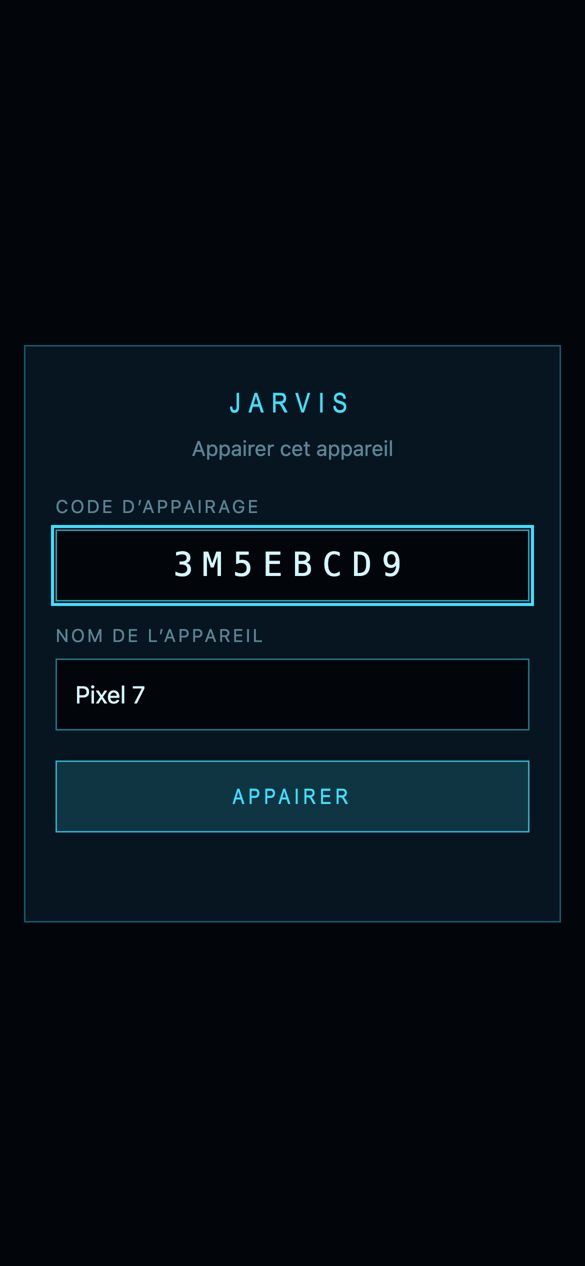
Illustration · pair with a code, revoke in one command.
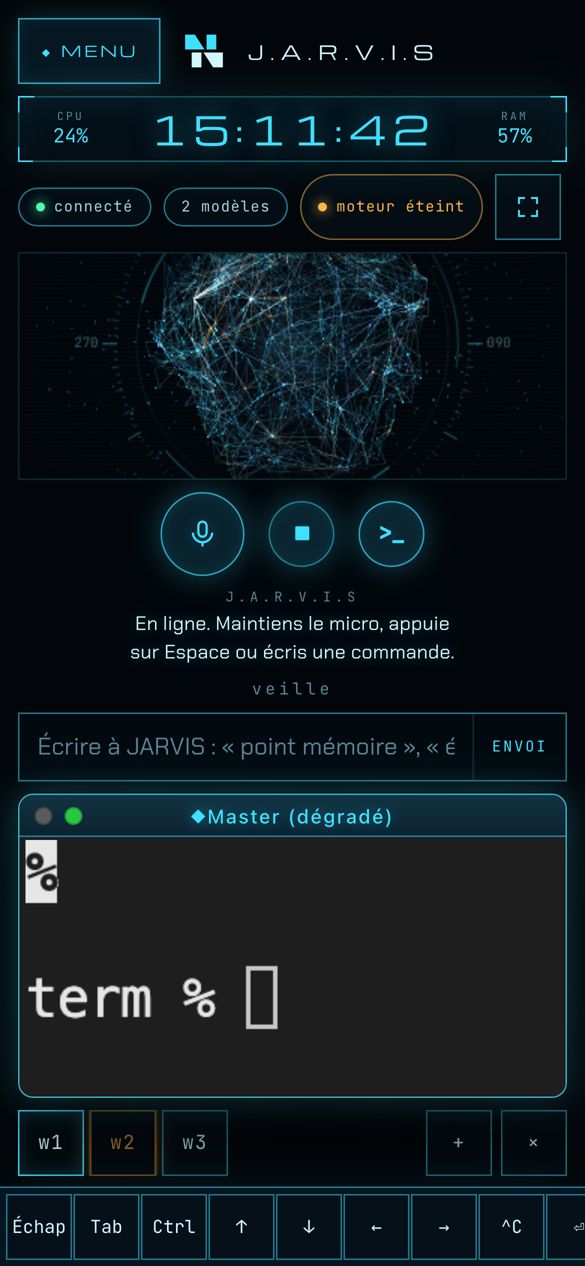
Mobile · Preview
Your cockpit, in your pocket.
Follow every agent from your phone. Answer the one that’s waiting.
- Pair with a code. Off by default.
- One tab per agent. Amber means it’s waiting for you.
- A key bar: Esc, Tab, Ctrl, arrows.
- Cut access with one command.
Real screenshots from a test instance with sample data. Interface in French.
Memory · SYNAPTIC-MEM · ACT-R
Agents that never start from zero.
Persistent local memory for AI coding assistants. Zero cloud tokens, 100% private.
Based on ACT-R (Carnegie Mellon) and Honda et al., HAI ’25.
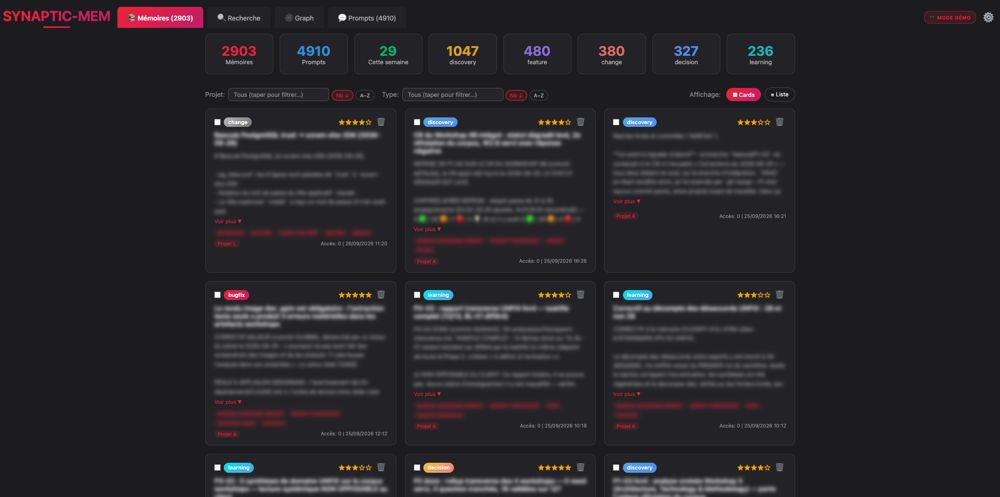
Used often stays active. Unused fades below the threshold. Illustration.
Token economy · RTK
Half the noise. Same signal.
RTK filters and summarizes command output before it reaches the model. znn-os · JARVIS runs on it, so agents spend tokens on work, not on logs.
Before · raw output
After · RTK
Measured with rtk gain over 9,927 commands. Your savings will vary. Open source · rtk-ai.app · brew install rtk
And more: skill-stack keeps a huge skill library out of the context and loads only the one skill needed. ACT-R recalls only what matters.
Interconnect
If it has a CLI, an API or an MCP, znn-os · JARVIS drives it.
No new stack to adopt. znn-os · JARVIS plugs into the configuration you already have.
Examples of integrations in use. Pick a node.
Ready when you are
In the evening, it’s done.
The morning is yours.
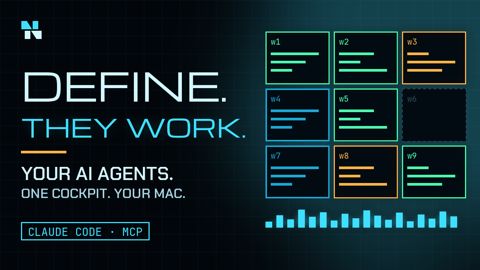 Watch the 2-minute filmyoutu.be/MhuRLYdrSmY
FAQ
Questions, answered.
What is znn-os · JARVIS?
znn-os · JARVIS is a voice cockpit for AI agents that runs on your Mac. You speak or type a request, and it hands the work to real AI agents running in real terminals, with Claude Code as the reference agent. Instead of a single chat window, you get a grid of live terminals, one per agent, and a signal that tells you which agent is waiting for your decision. It also adds local memory, a dashboard of agents, services and token use, autonomous epics, and a connection to the skills, tools and MCP servers you already have.
Who is znn-os · JARVIS for?
It is built for founders, executives, independents and developers who have more to do than days to do it, and who want to delegate to AI agents without losing sight of what those agents are doing. Developers feel at home because the terminals are real and the agent is Claude Code. Non-developers can use their voice and follow the grid and the dashboard.
How is znn-os · JARVIS different from dictation apps and AI launchers?
Dictation apps such as Wispr Flow or Superwhisper turn your speech into text in any application, and AI launchers combine search with a chat. znn-os · JARVIS does something different: it turns speech into delegated work. The request goes to real agents in real terminals, you watch them in a grid, and you decide when one of them asks for a decision. It complements dictation tools rather than replacing them.
What do I need to run znn-os · JARVIS?
You need a Mac, Apple Silicon or Intel, running macOS, with Homebrew (the installer uses it to install uv if it is missing) and Claude Code installed and signed in, with the claude command available in your PATH. Chrome or Brave is recommended because they let the intro sound play automatically. The first launch installs the voice engine dependencies and downloads the XTTS-v2 voice model, about 2 GB, once. Local dictation with Whisper MLX needs Apple Silicon.
Does znn-os · JARVIS run locally?
Partly, and by design. Speech synthesis runs on your Mac with XTTS-v2, and dictation runs locally with Whisper MLX on Apple Silicon. The voice engine uses about 2.4 GB of memory and stops after ten minutes without use. The agents themselves use the models you configure: with Claude Code, requests go to Anthropic exactly as they do without znn-os · JARVIS, while local models run through Ollama and stay on your machine. Remote access is off by default.
Which AI models and providers does it work with?
Claude Code is the reference setup. Because the terminals are real, znn-os · JARVIS can host any command-line agent or tool you can run in a shell. Local models run through Ollama, and a local router can send small jobs to local models while keeping the large ones for Claude. The MCP servers and skills in your existing configuration stay available, so you do not rebuild your stack.
How does the memory work?
The memory is SYNAPTIC-MEM, a persistent local memory for AI coding assistants with zero cloud tokens. It stores decisions, bug fixes and patterns in PostgreSQL with pgvector and finds them by meaning with semantic search. Recall is ranked with the ACT-R cognitive model: Activation = Base-level + Weight x Similarity + Spreading + Noise. Memories you use often stay active, unused ones become dormant and then forgotten, and none is ever deleted. It exposes six MCP tools and installs with one script. The repository is public: github.com/MrZzE00/MCP-Claude-mem-local.
What is ACT-R?
ACT-R is a cognitive architecture developed at Carnegie Mellon University that models how human memory retrieves information. SYNAPTIC-MEM applies its activation formula to rank memories: base-level activation rises with frequent use and decays over time as a power law, similarity measures how well a memory matches your query, spreading activation lifts memories that share tags, and a little noise avoids a frozen ranking. The implementation follows ACT-R and Honda et al., HAI '25, Human-Like Remembering and Forgetting in LLM Agents.
What is RTK and how many tokens does it save?
RTK is an open-source command-line proxy that filters and summarizes command output before it reaches the model, so agents spend tokens on work instead of logs. On the author's own setup, rtk gain reports 2.4 million of 4.5 million input tokens saved, or 52.4%, over 9,927 commands. Your results depend on your commands and workflow. RTK is a third-party tool under the Apache-2.0 licence, available at rtk-ai.app and installable with brew install rtk.
What is skill-stack?
skill-stack is a router that keeps a large library of skills outside the model context. Instead of loading thousands of skill descriptions up front, the agent searches a keyword index, shortlists a few candidates and loads the body of only the chosen skill at the moment it needs it. The library costs nothing until it is used, so the context stays light. Your own local skills remain available as well.
What are autonomous epics?
An epic is a larger piece of work split into tasks. You launch it with a single command or sentence, either in full-auto mode or with human gates. A registry tracks the run, merges stay local, and any decision that needs you waits for your answer, flagged by the amber signal in the grid. Each worker is a separate terminal you can watch.
What does the dashboard show?
The dashboard shows your real data: which agents are running, the state of services, and token use. It reads from your own machine and sits next to the terminal grid, so you can see the whole picture before deciding.
Can I use znn-os · JARVIS from my phone?
A mobile view is in preview. You pair a phone with a pairing code, follow one tab per agent, use a key bar with Esc, Tab, Ctrl and arrows, and revoke access with one command. Remote access is disabled by default and reaches your Mac over a private network such as Tailscale.
What data leaves my Mac?
Speech synthesis and dictation stay on your Mac. Your agents send prompts to whichever model provider you configured, for example Anthropic for Claude Code. znn-os · JARVIS itself runs as a local server on your machine. Remote access is off by default, uses a pairing code and device cookies, and can be cut with one command.
Which languages does it speak?
The voice speaks French by default, and the language and the voice sample are configurable through the XTTS settings. This page and the film are in English, and the app interface is in French today.
Is znn-os · JARVIS open source, and what does it cost?
The znn-os · JARVIS repository is private for now, and pricing is not published. The memory component, SYNAPTIC-MEM, is public on GitHub, and RTK is a third-party open-source tool. Book a demo to get access and to talk about your use case.
How do I install znn-os · JARVIS?
It installs with one idempotent command, ./install.sh, so running it again is safe, and it adapts to the configuration you already have. It is shared during a demo. The memory component installs on its own: git clone https://github.com/MrZzE00/MCP-Claude-mem-local.git, then cd MCP-Claude-mem-local and ./install.sh. The installer sets up PostgreSQL 17 with pgvector, a Python environment, the database schema, Ollama and the embedding model.
How do I get a demo or contact the author?
Book a demo through LinkedIn: linkedin.com/in/norbert-jeff-nadir. The author is Norbert Nadir.